

Jianpu: upload MusicXML, get numbered notation automatically
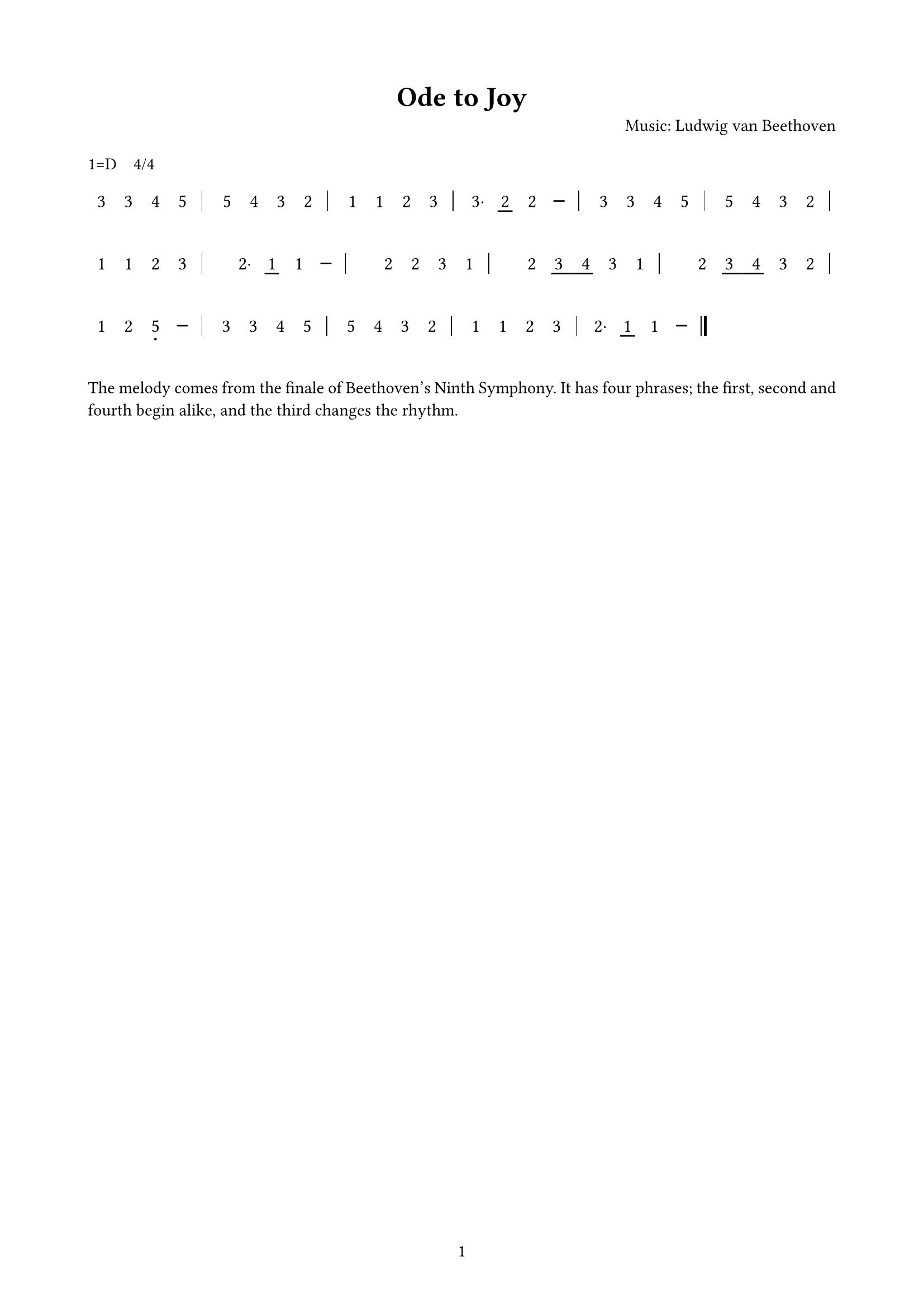
No typing numbers by hand. Export MusicXML from MuseScore or similar and upload it; docraft typesets jianpu with the key and time at the start, octave dots, beams, dashes and lyrics in place.
Start free, no credit card needed.
Just converting a file? Try the free MusicXML to jianpu tool
What it does
Proper jianpu conventions
Movable do with “1=G 3/4” at the start; sharps and flats, octave dots, underlines for shorter notes and dashes for longer ones.
Lyrics under the numbers
One line per verse, breaking at bar lines; ties, slurs and triplets as in the score.
Marks included
Grace notes as small numbers, and segno, coda and repeat instructions above the music.
Melody only
Multi-voice scores are reduced to the top note of the first voice, noted in the caption; use staff notation for all voices.
How it works
- 1
Upload MusicXML (.musicxml or .mxl) and say whether you want notes or practice instructions.
- 2
docraft typesets the jianpu and lists anything to confirm.
- 3
Point at the music or text to change it, then export the PDF to print or share.
Try saying
“Turn this song’s MusicXML into jianpu with both verses of lyrics, and add practice notes for the choir.”
Frequently asked questions
What if I don’t have MusicXML?
Open or enter the score in MuseScore (free) and export MusicXML. PDF or image scores can’t be read directly.
Movable or fixed do?
Movable do: 1 is the tonic of the key, written as “1=key time” at the start.
Can piano or choir scores become jianpu?
Yes, but only the melody (top note of the first voice) is set. Use staff notation to keep every voice.
Can I use it on the free plan?
Yes. The free plan includes 300 points a month (about 18 new documents), and exported PDFs carry a watermark; paid plans have no watermark.
Related templates
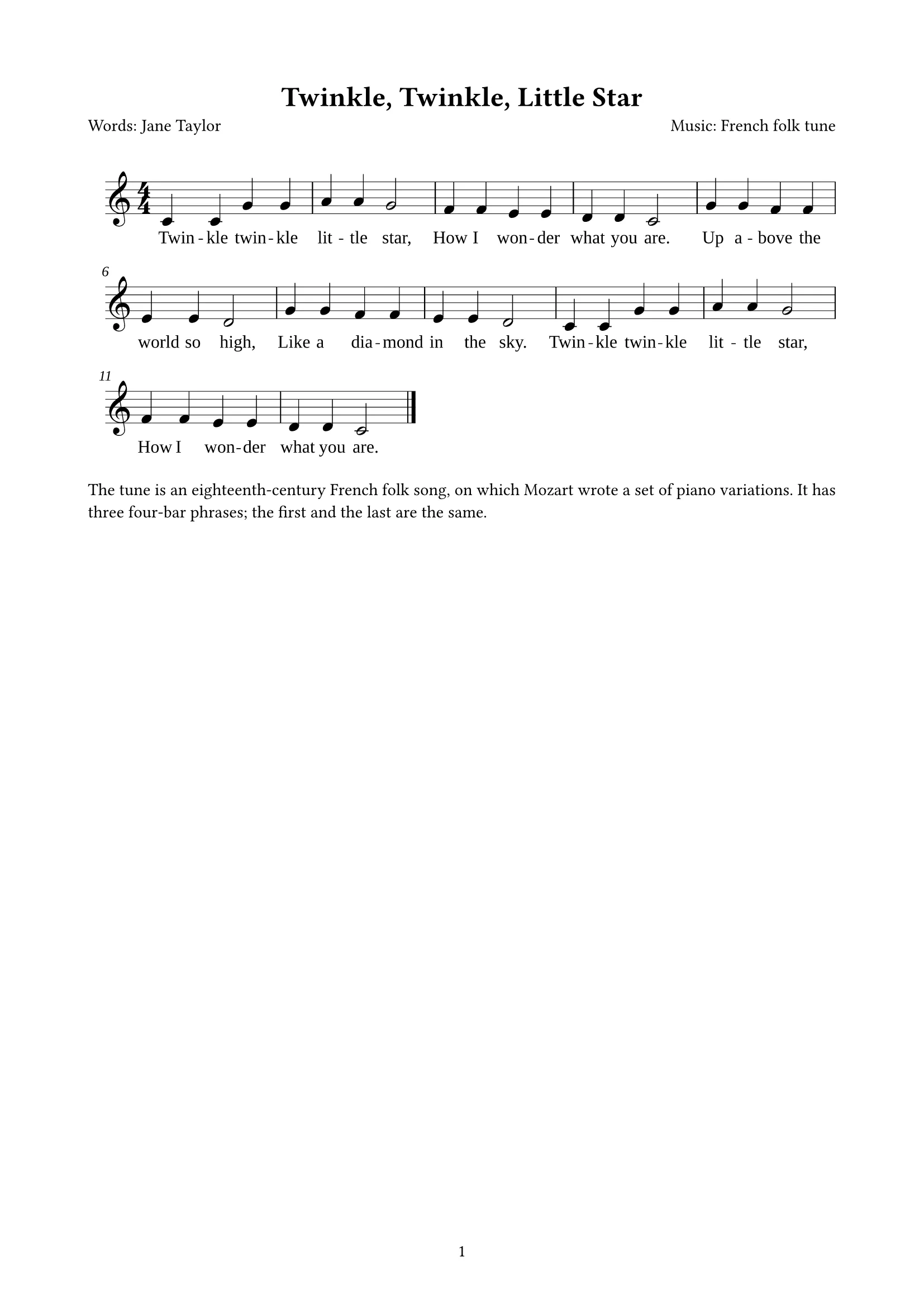
Sheet music
From MusicXML: title, credits and the whole score in staff notation (with lyrics, across pages); engraved for you
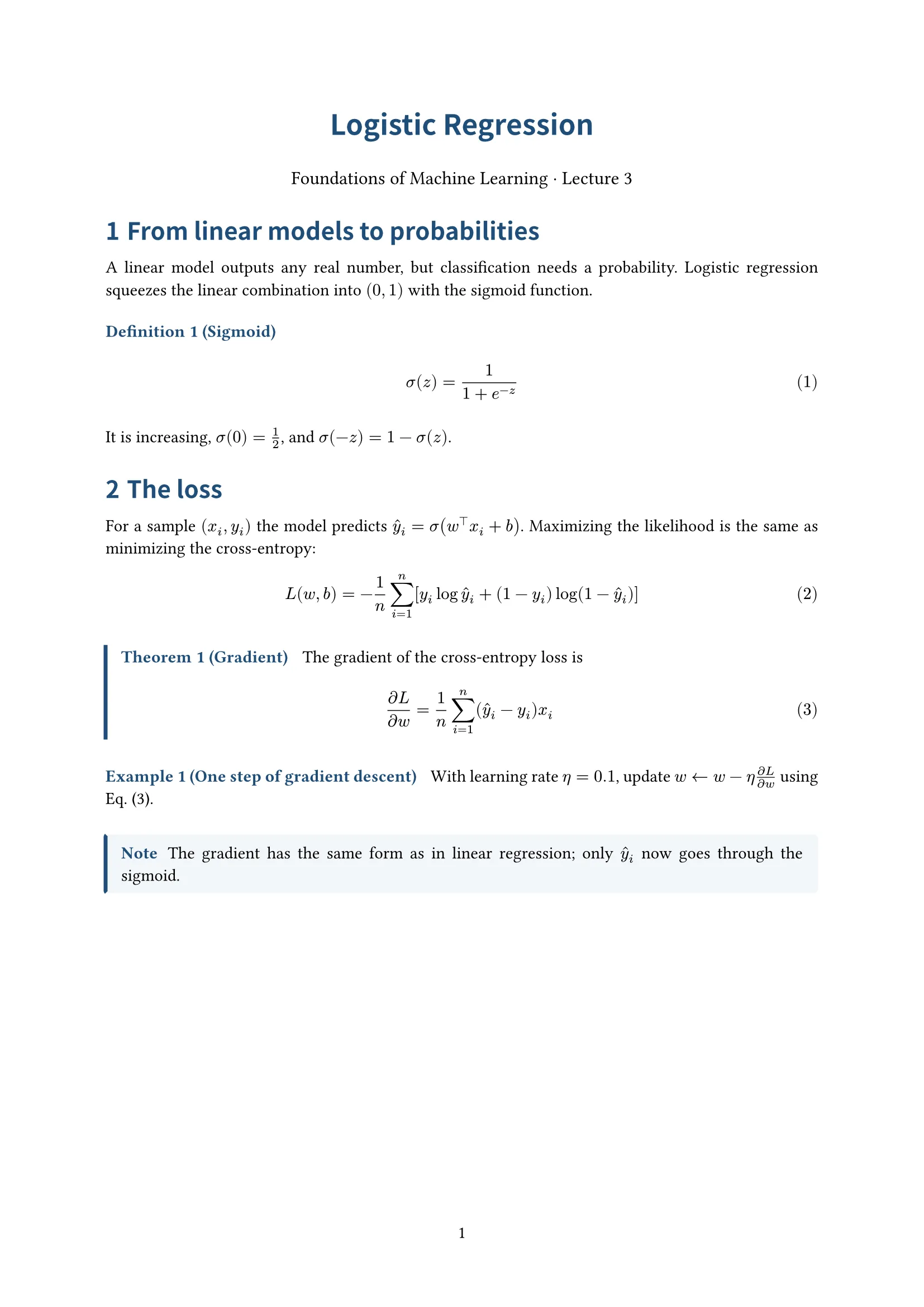
Handout
Centered title, numbered definitions, theorems and examples; for lecture notes
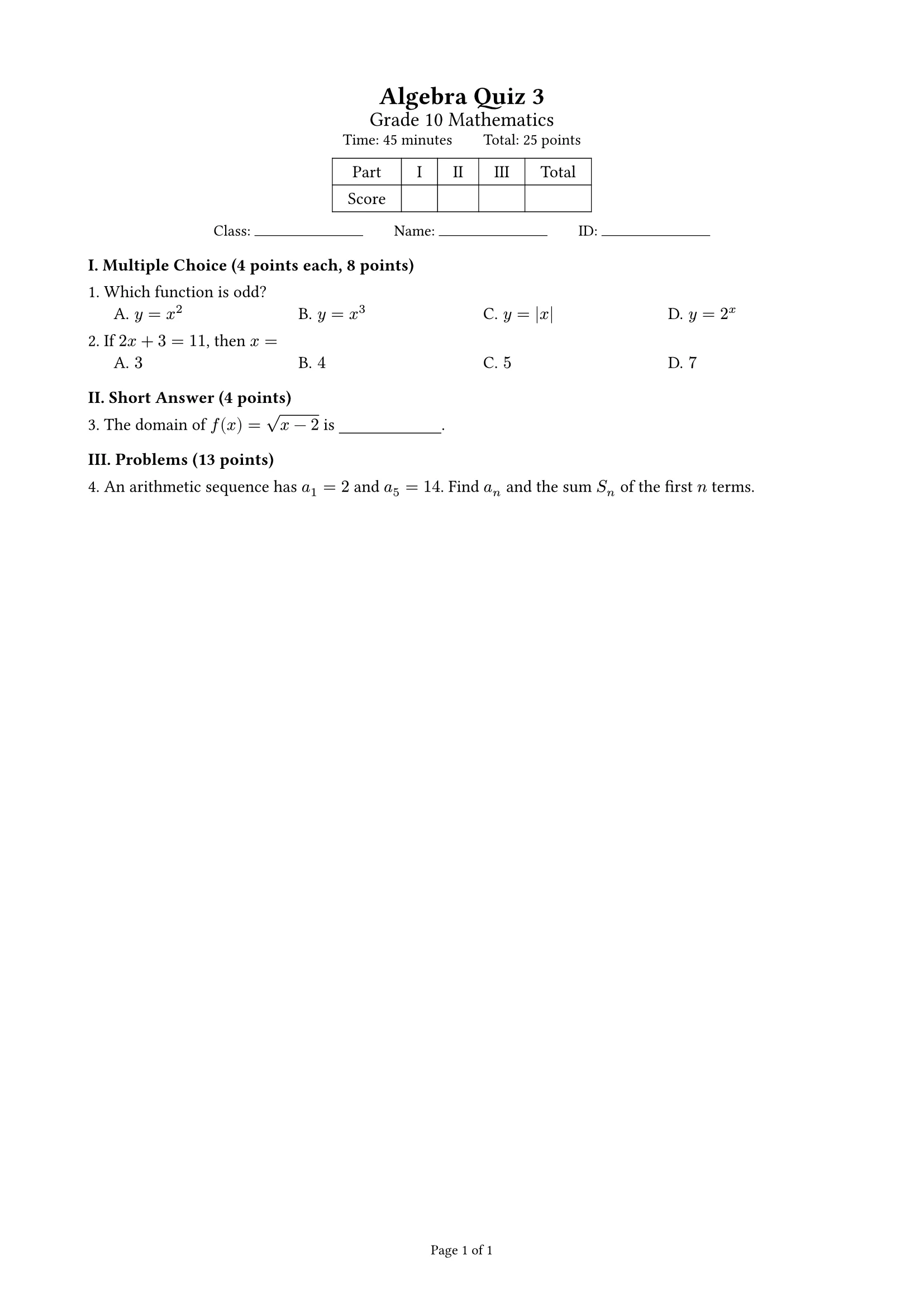
Exam
Points summed per part, score table, auto-arranged choices; student and answer-key versions; A4 or A3 two columns


