

Exams: points add up by themselves, answer key at the flip of a switch
Say “algebra midterm, 90 minutes, 8 multiple-choice, 4 fill-in, 5 long questions” and upload a question bank if you have one. docraft typesets the exam with part totals worked out, choices laid out to fit, and an answer-key version from the same source.
Start free, no credit card needed.
What it does
Points add up
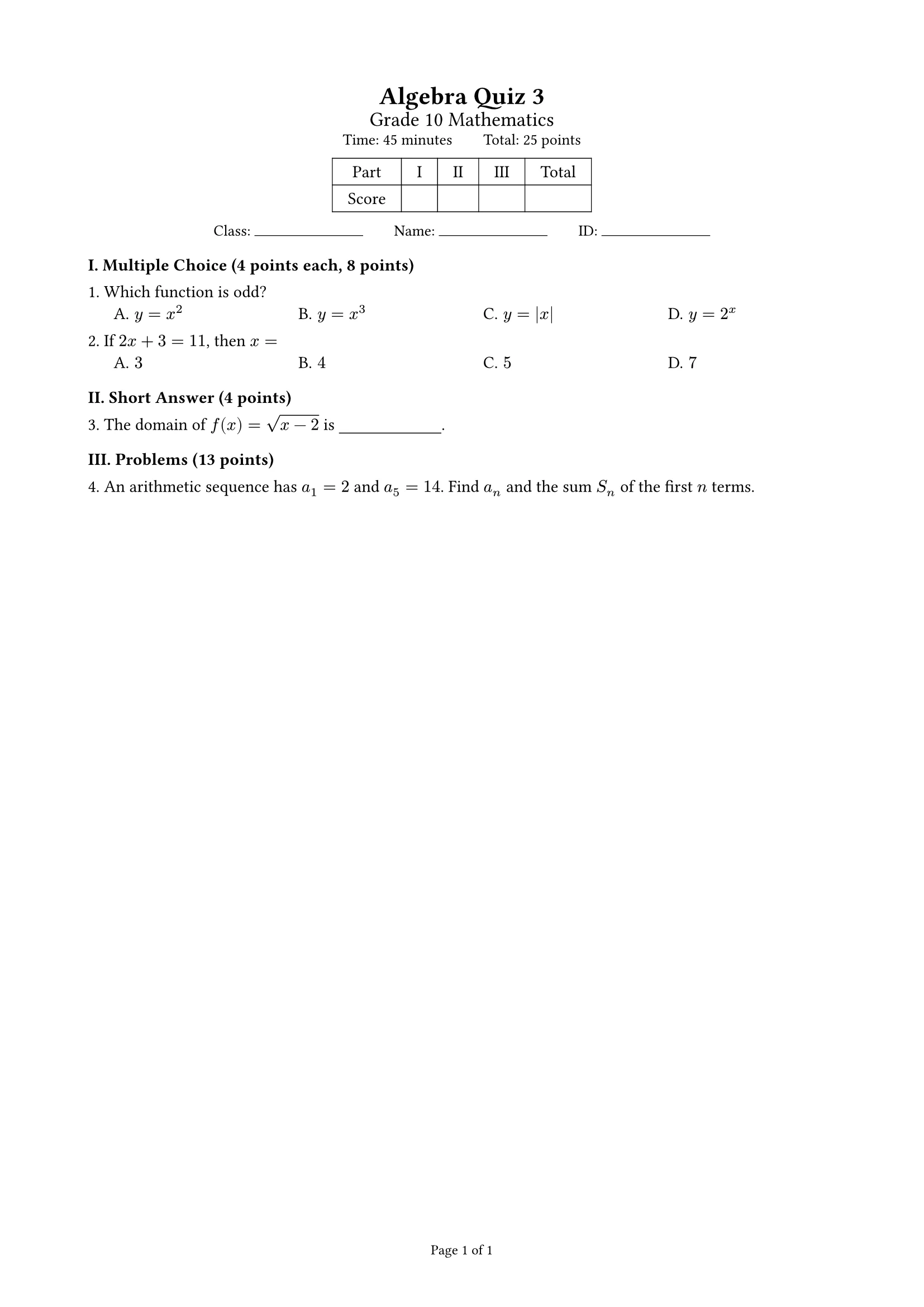
Give each question its points and the part totals, the full mark and the score table are computed by the template, so they always agree.
Student and answer-key versions
Solutions and answers appear only in the answer key; one switch flips between them, and edits change both.
A4 or A3 two columns
A3 landscape with two columns, or A4 with one; page footers read “Page x of y”.
Choices, blanks and answer space
Choices are laid out four, two or one per row by length; fill-in blanks and answer space are built in, and equations and figures work as usual.
How it works
- 1
Give the subject, level, time, question types and points; upload a question bank or textbook pages if you have them.
- 2
docraft typesets the exam and lists the questions, answers and points to confirm.
- 3
Point at “question 3” to change it, check the answer key, then export both PDFs.
Try saying
“Make an algebra midterm, 90 minutes: 8 multiple-choice at 5 points, 4 fill-in-the-blank, 5 long questions, plus an answer key.”
Frequently asked questions
Does docraft write the questions?
You can give your own or have it write them to your spec. Always check generated questions and answers; the key ones are on the checklist.
How is the answer key made?
Turn on “Show answers” for the same exam: solutions, correct choices and blank answers appear. There is no second copy to keep in sync.
Does it do A3 two-column layouts?
Yes. Choose A3 two columns; questions flow across both columns and figures fit a column.
Can I use it on the free plan?
Yes. The free plan includes 300 points a month (about 18 new documents), and exported PDFs carry a watermark; paid plans have no watermark.


