

Handouts: describe the topic, get typeset lecture notes
Say “physics, motion with constant acceleration, two pages” and attach your notes or lab data. docraft typesets a handout with numbered definitions, theorems and examples, equations and figures where they belong, and a list of anything you should confirm.
Start free, no credit card needed.
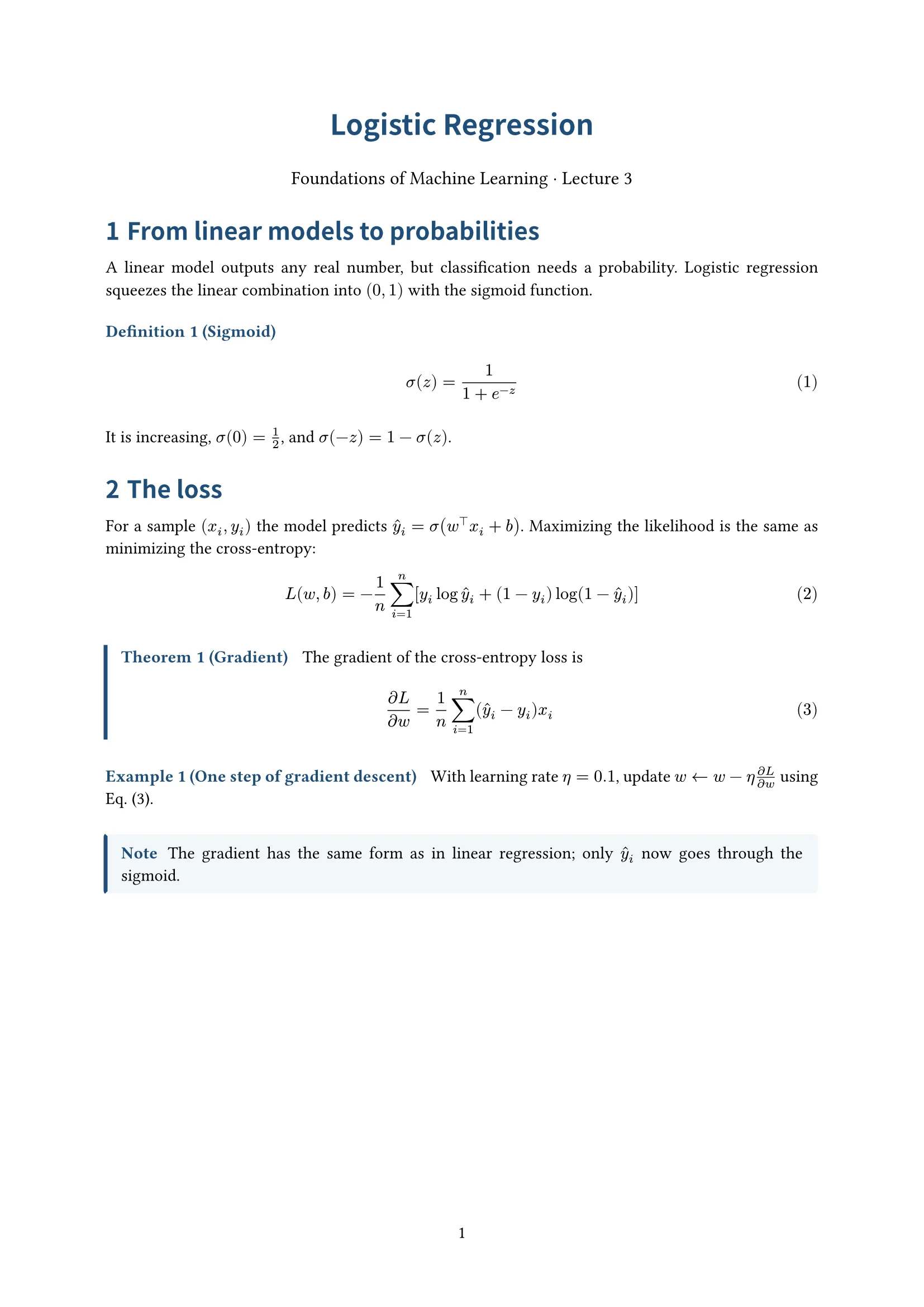
What it does
Numbered definitions, theorems, examples
Each kind has its own style and numbering, and references such as “Example 2” or “Eq. (3)” follow the numbers when things move.
Equations that look like a textbook
Inline math, aligned derivations and numbered equations are set properly. Photograph handwritten equations and docraft typesets them.
Charts and diagrams included
Upload CSV or Excel to plot lines, or scatter plots with a fitted line. Geometry figures, force diagrams and flowcharts are drawn too.
Changes without re-layout work
Point at a passage or a figure and say what to change, or edit the text directly; the page reflows, and every version can be undone.
How it works
- 1
Give the topic, the readers and the length; upload notes, data or photos if you have them.
- 2
docraft typesets a first version and lists the equations, data and claims you should confirm.
- 3
Point at the page or edit text directly, then export the PDF or share a link for review.
Try saying
“Make a two-page physics handout on motion with constant acceleration. Use the attached lab data, plot v against t and fit a line.”
Frequently asked questions
Do I need to know LaTeX?
No. Describe what you want in plain words; typesetting is done with Typst, and you can still edit the source in the workspace.
Can I use my own notes?
Yes. Upload notes (text or PDF) and docraft works from them without adding unsupported claims; anything you need to fill in goes on the checklist.
Can it read handwritten equations?
Yes. Upload a clear photo; docraft typesets the equations and lists what it read so you can confirm nothing was misread.
Can others review it?
Share a read-only link; viewers don’t need an account, and if you allow it, signed-in reviewers can annotate the page.
Related templates
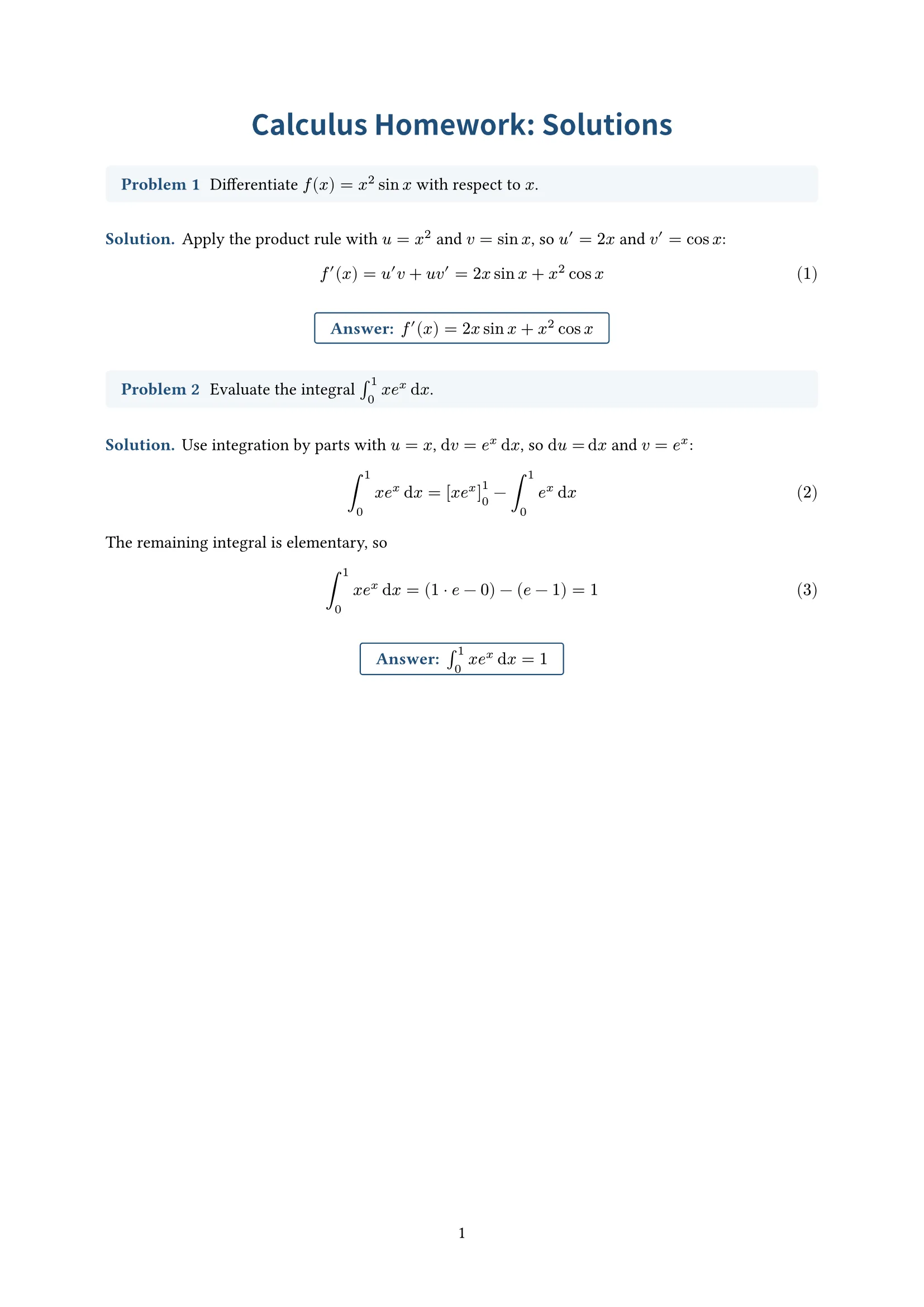
Solutions
Problems, worked solutions and boxed answers; for homework and exercises
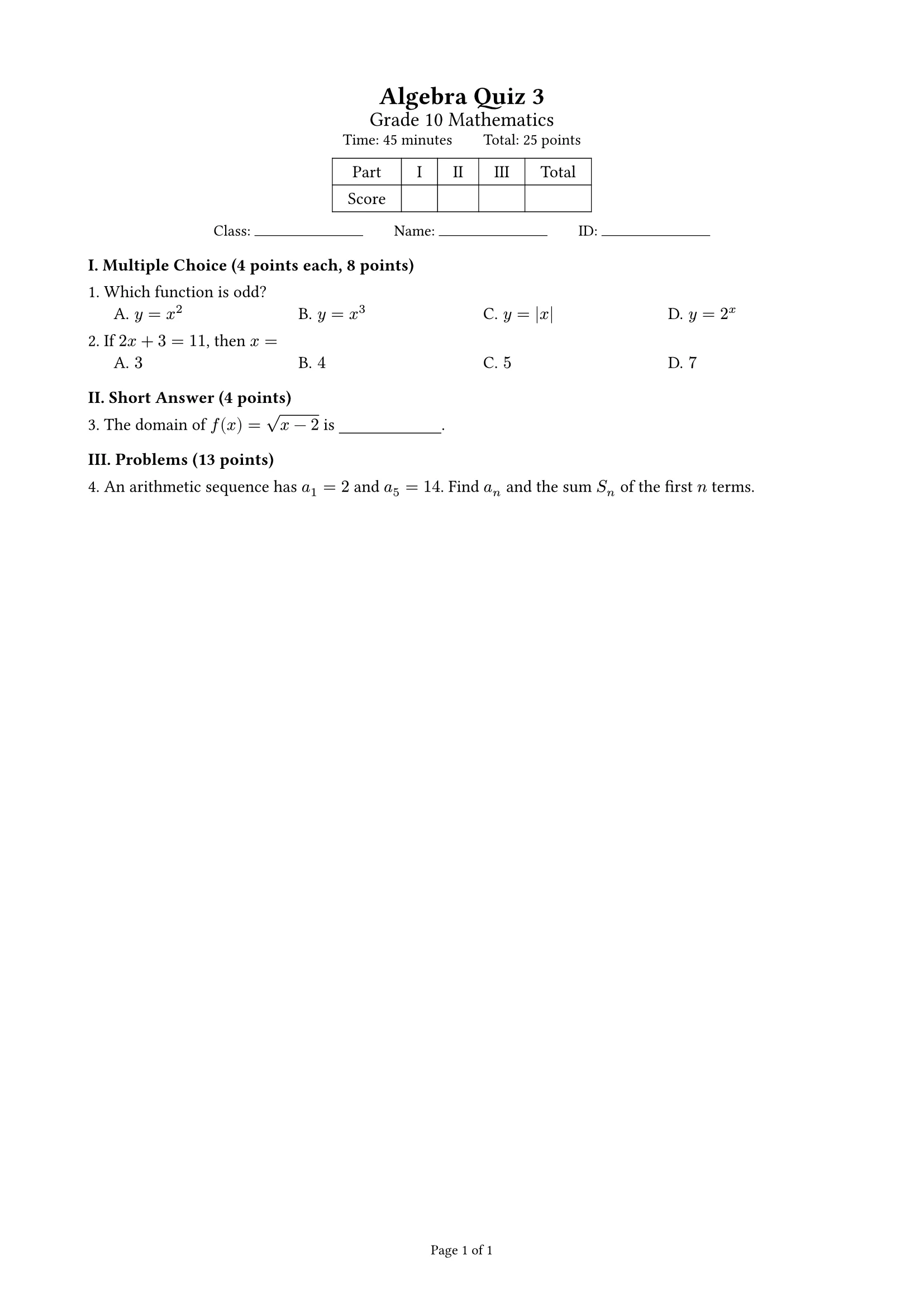
Exam
Points summed per part, score table, auto-arranged choices; student and answer-key versions; A4 or A3 two columns
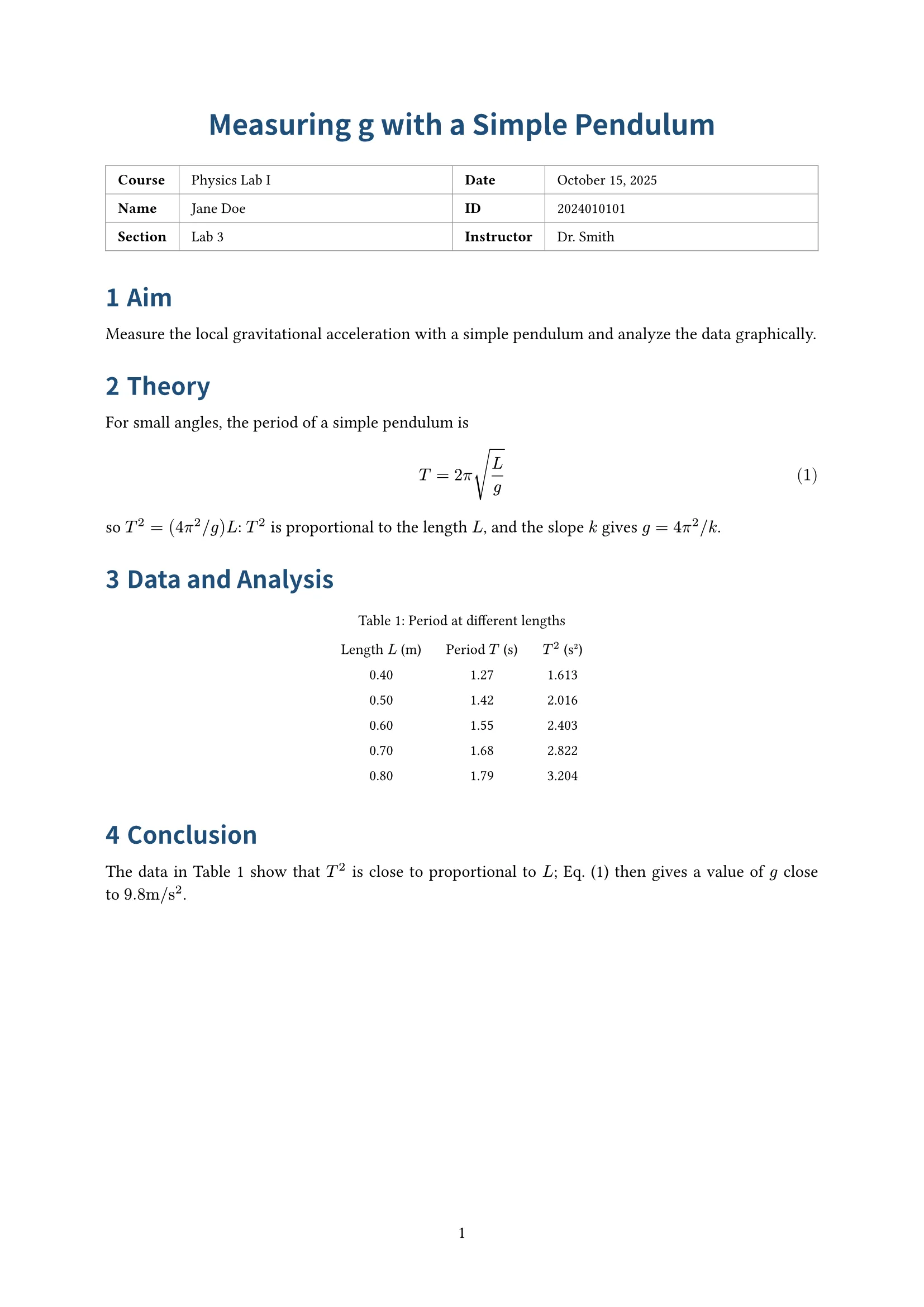
Lab report
Info table (course, name, ID…), aim, theory, procedure, data and analysis, conclusion; for lab courses


