

Solutions: paste the problems, get typeset worked solutions
Paste the problems or photograph them and say “show every step”. docraft typesets each problem with an aligned derivation and a boxed final answer, with numbered equations and figures.
Start free, no credit card needed.
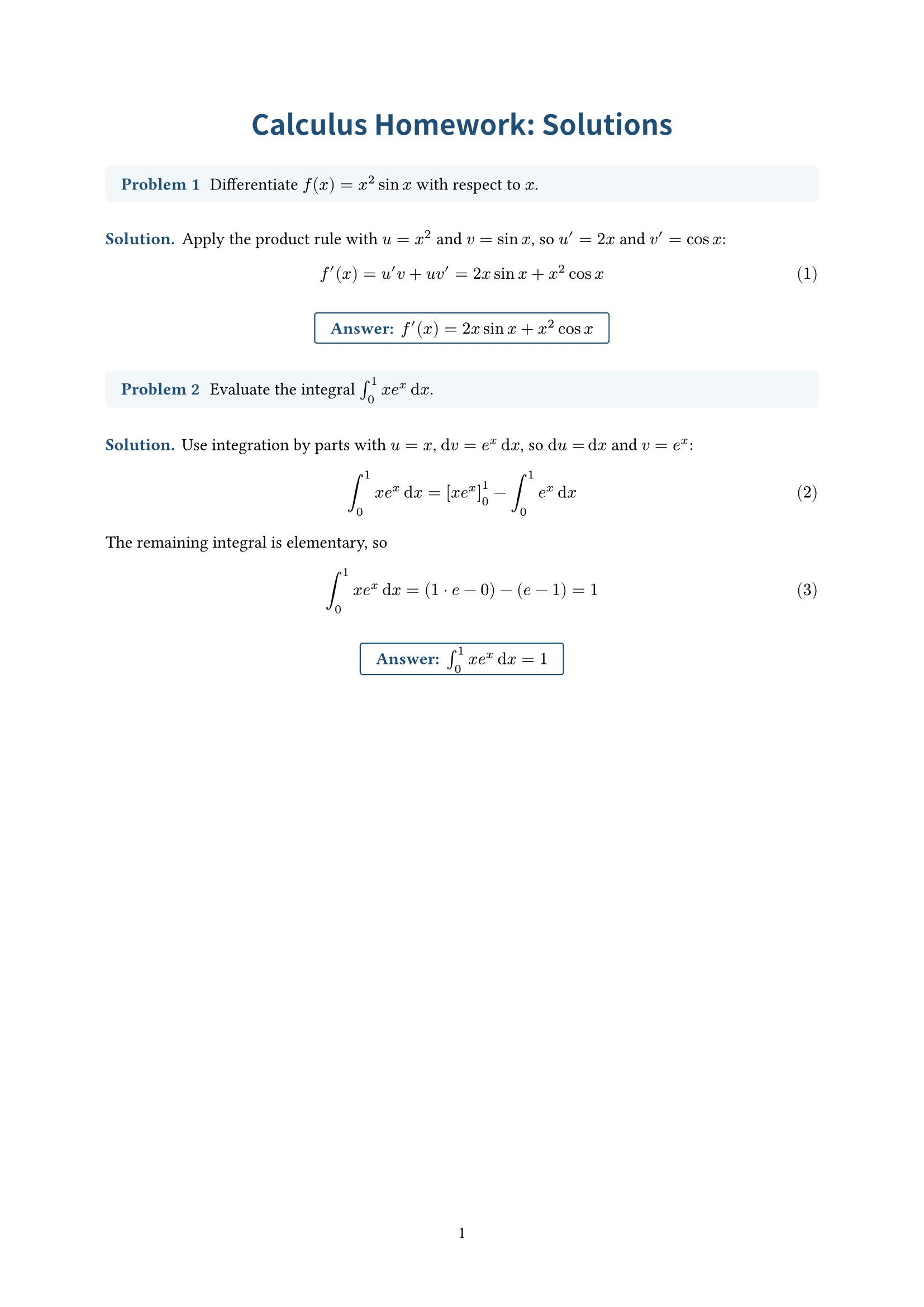
What it does
Problem, solution, answer
Problems, worked steps and final answers each have their own style, and the boxed answer is easy to find.
Tidy derivations
Multi-line derivations align on the equals sign, equations are numbered, and references like “from (2)” follow the numbers.
Photos of problems work
Photograph a textbook page or worksheet; docraft sets the problems and lists what it read for you to confirm.
Figures when needed
Geometry figures, force diagrams and function graphs are drawn from the problem, numbered and labelled so you can point at them.
How it works
- 1
Paste the problems or upload a photo, and say how detailed the solutions should be.
- 2
docraft typesets the solutions and lists anything it was unsure of on the checklist.
- 3
Point at a step and say “expand this”, or edit directly; then export the PDF.
Try saying
“Here are five problems from chapter 3 (photo). Write complete worked solutions and box the final answers.”
Frequently asked questions
Can the solutions be wrong?
They can, which is why key results and anything uncertain go on the checklist. Check the solutions before you hand them in or give them to students.
Can it typeset my own solutions without changing them?
Yes. Give it your solutions and say “typeset mine as written”; it only does the layout.
Do I need to know LaTeX?
No. docraft writes the equations in Typst and typesets them; you can still edit the source if you like.
Can I use it on the free plan?
Yes. The free plan includes 300 points a month (about 18 new documents), and exported PDFs carry a watermark; paid plans have no watermark.
Related templates
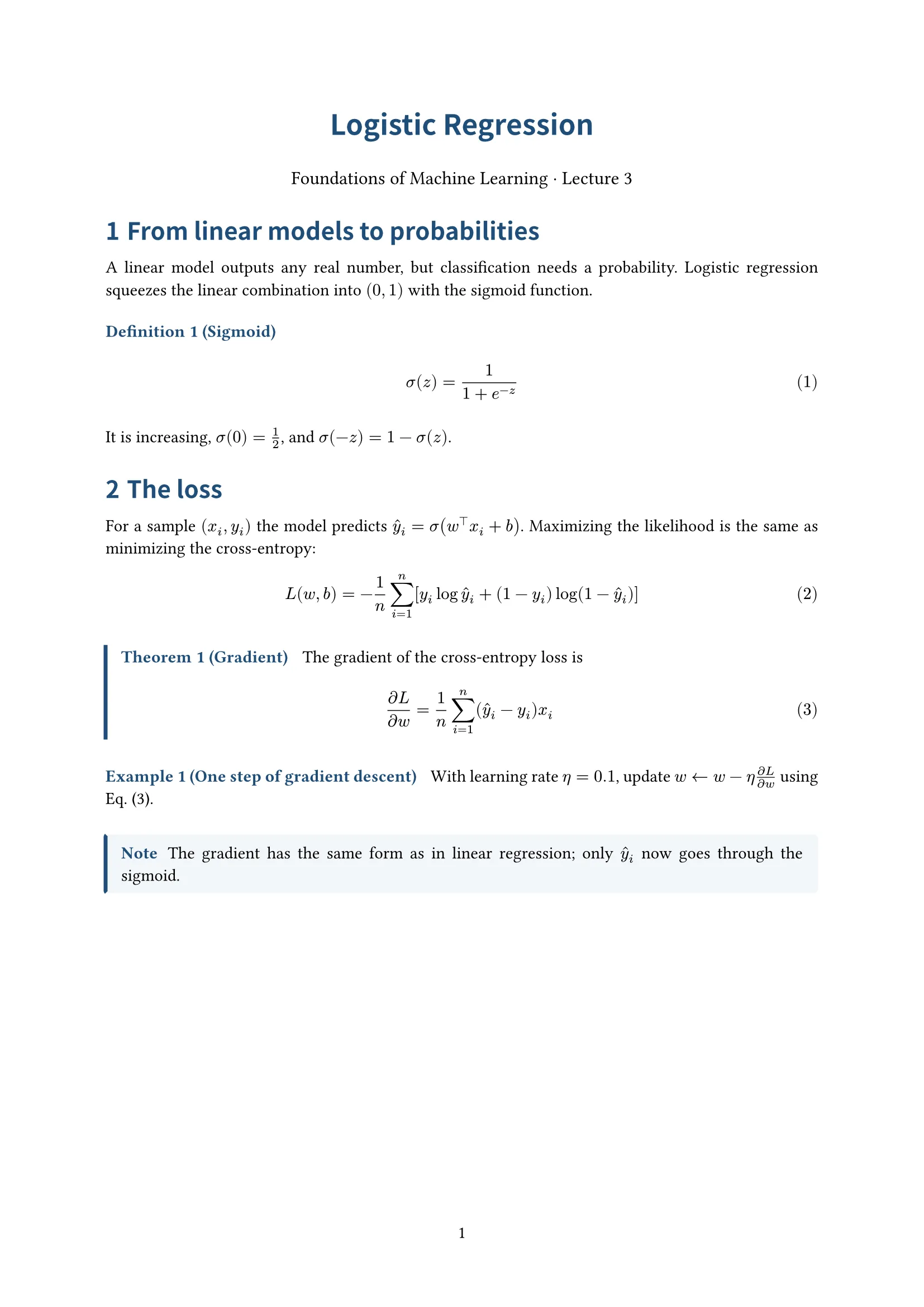
Handout
Centered title, numbered definitions, theorems and examples; for lecture notes
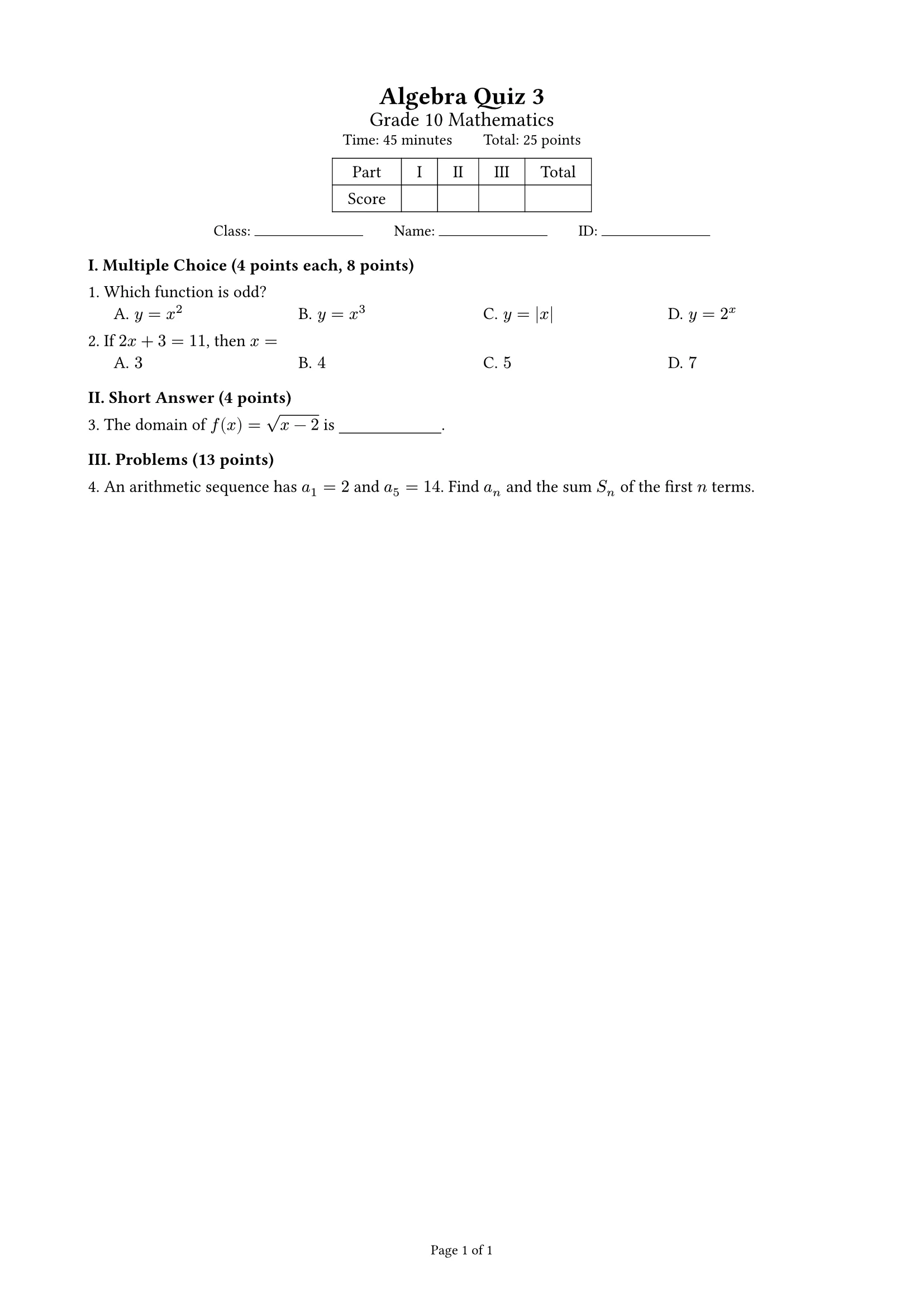
Exam
Points summed per part, score table, auto-arranged choices; student and answer-key versions; A4 or A3 two columns
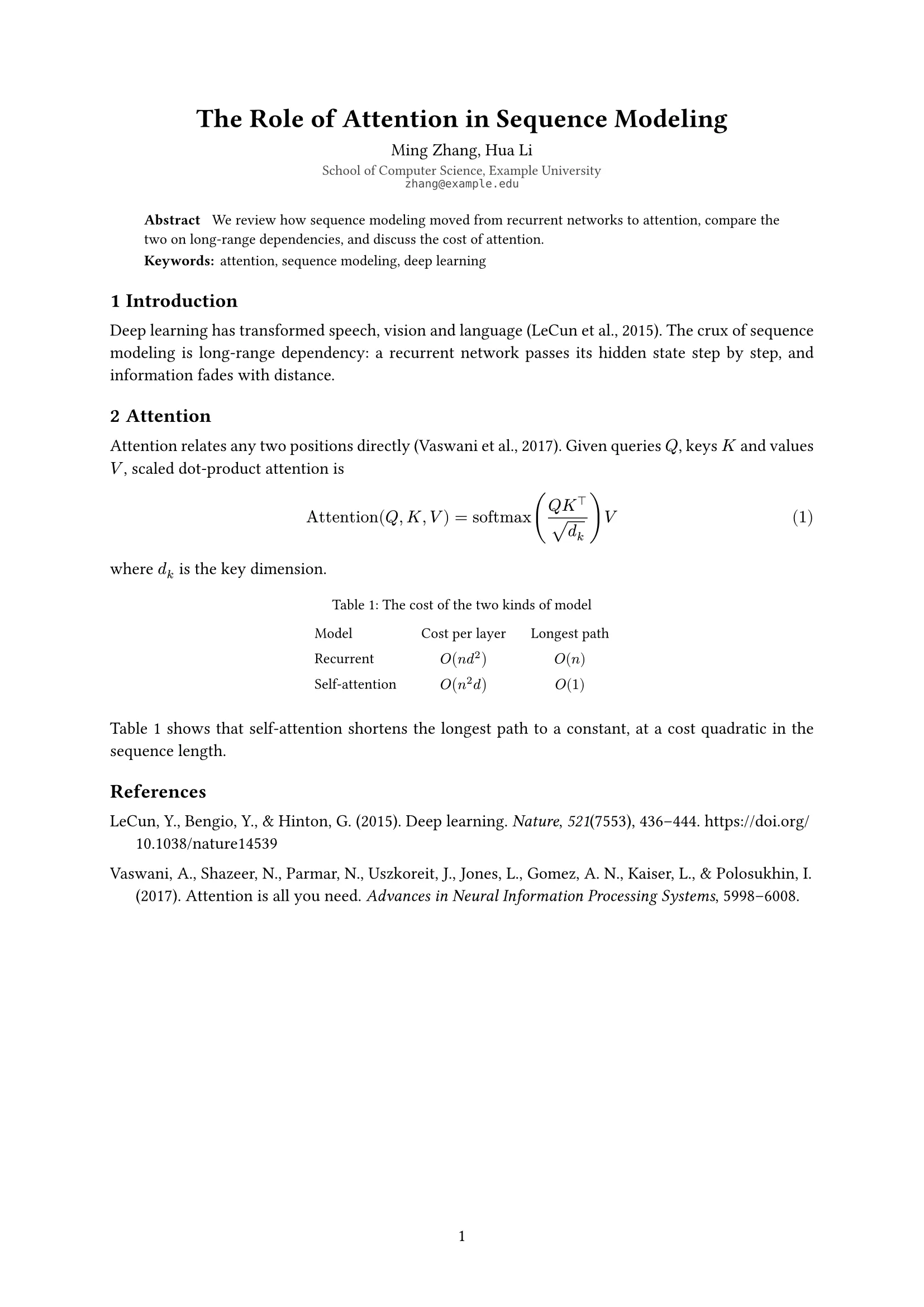
Article
Single column with title, authors, affiliations, abstract and keywords; for course papers and preprints


