

Sheet music: upload MusicXML, get an engraved PDF
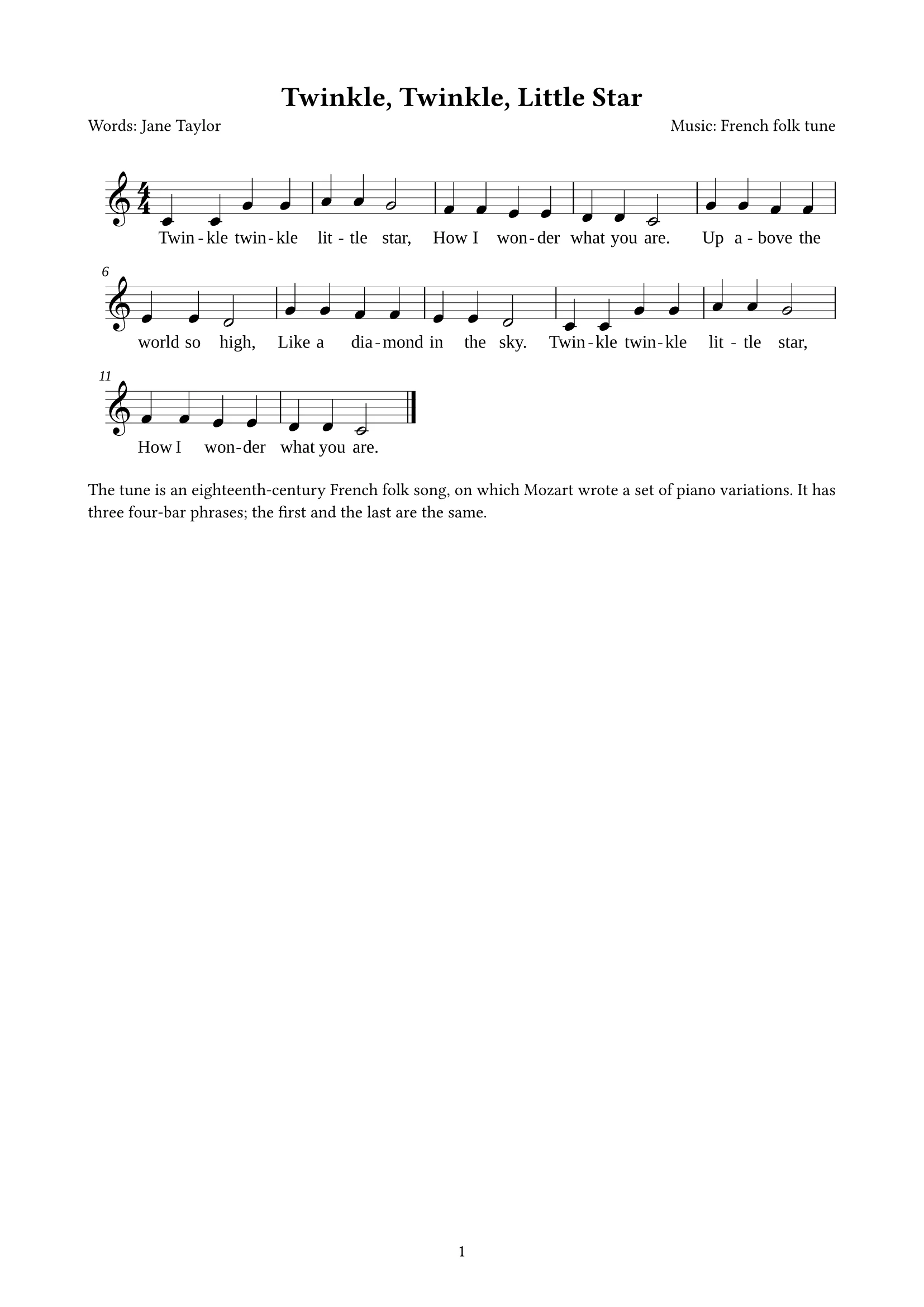
Export MusicXML from MuseScore or similar, upload it and say “one page, with a short singing tip”. docraft typesets the score with title and credits at the top, the whole piece with lyrics, and your notes alongside.
Start free, no credit card needed.
What it does
Engraved from the file
Notes, staves and lyrics come straight from the MusicXML, and long pieces continue across pages; nothing is redrawn by hand.
Title and credits read for you
Title, lyricist and composer come from the score; if they are missing or need changing, just say so.
Several songs in one document
Songbooks and practice sheets can hold several pieces, each with its own heading, with your notes before or after.
Switch to jianpu
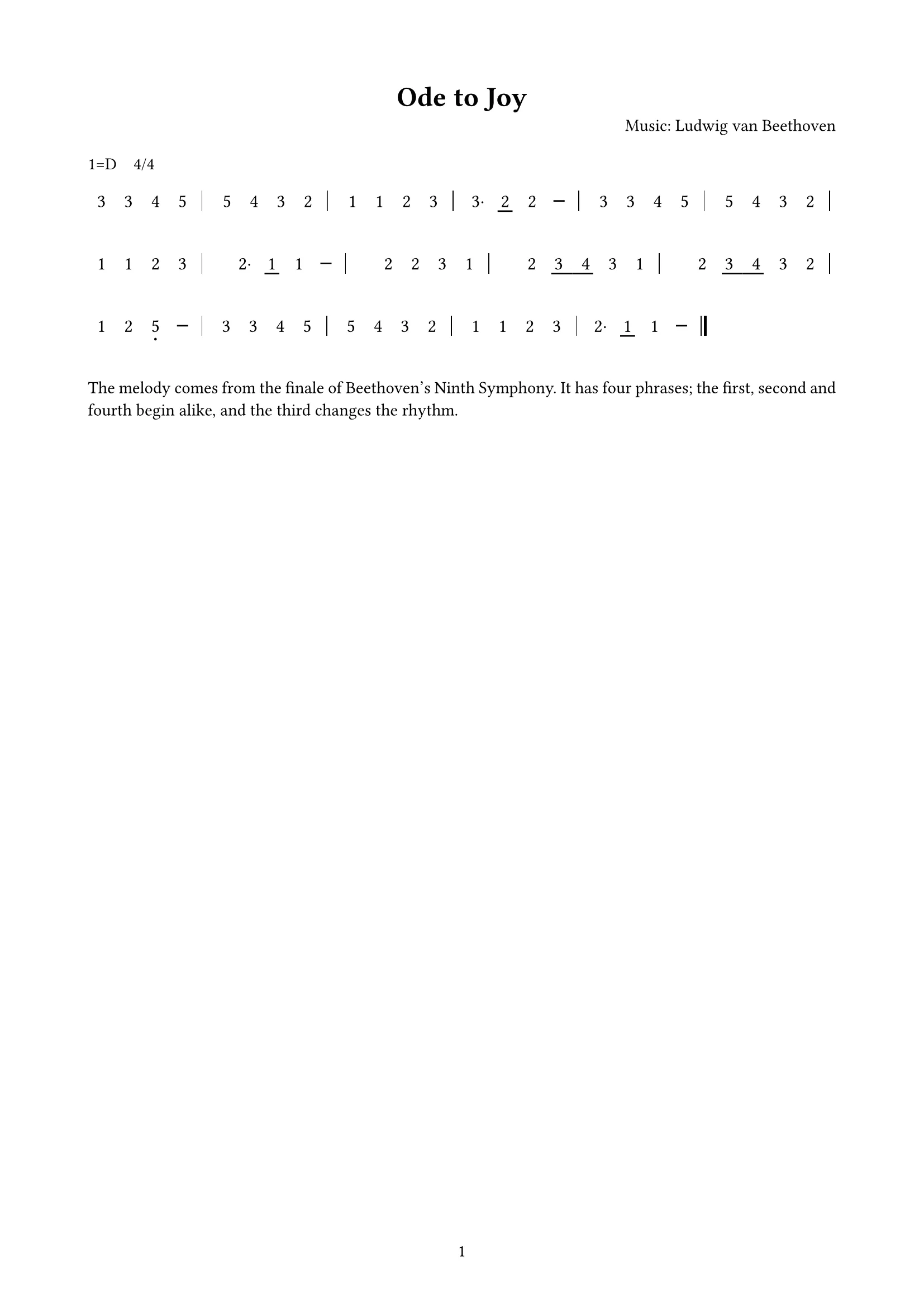
The same score can switch to numbered notation (melody only), handy for choirs and classrooms.
How it works
- 1
Upload MusicXML (.musicxml or .mxl) and say whether you want notes and how many songs.
- 2
docraft typesets the score and lists anything to confirm.
- 3
Point at the score or text to change it, then export the PDF to print or share.
Try saying
“Here is Ode to Joy as MusicXML. Set it on one page and add a short singing tip for beginners above the score.”
Frequently asked questions
Which formats are supported?
MusicXML (.musicxml and compressed .mxl). MuseScore, Finale, Sibelius and Dorico can all export it; PDF or image scores can’t be read directly.
Will it change my notes?
No. The score is set exactly from the MusicXML; docraft doesn’t alter notes or analyze harmony, and asks you to re-export if the file is broken.
Multiple voices or piano scores?
Staff notation follows the file; jianpu sets the melody only, so use staff notation for multi-voice and piano scores.
Can I use it on the free plan?
Yes. The free plan includes 300 points a month (about 18 new documents), and exported PDFs carry a watermark; paid plans have no watermark.
Related templates
Jianpu (numbered notation)
From MusicXML to numbered notation: movable do, octave dots, beams and dashes, lyrics; melody only
Go game record
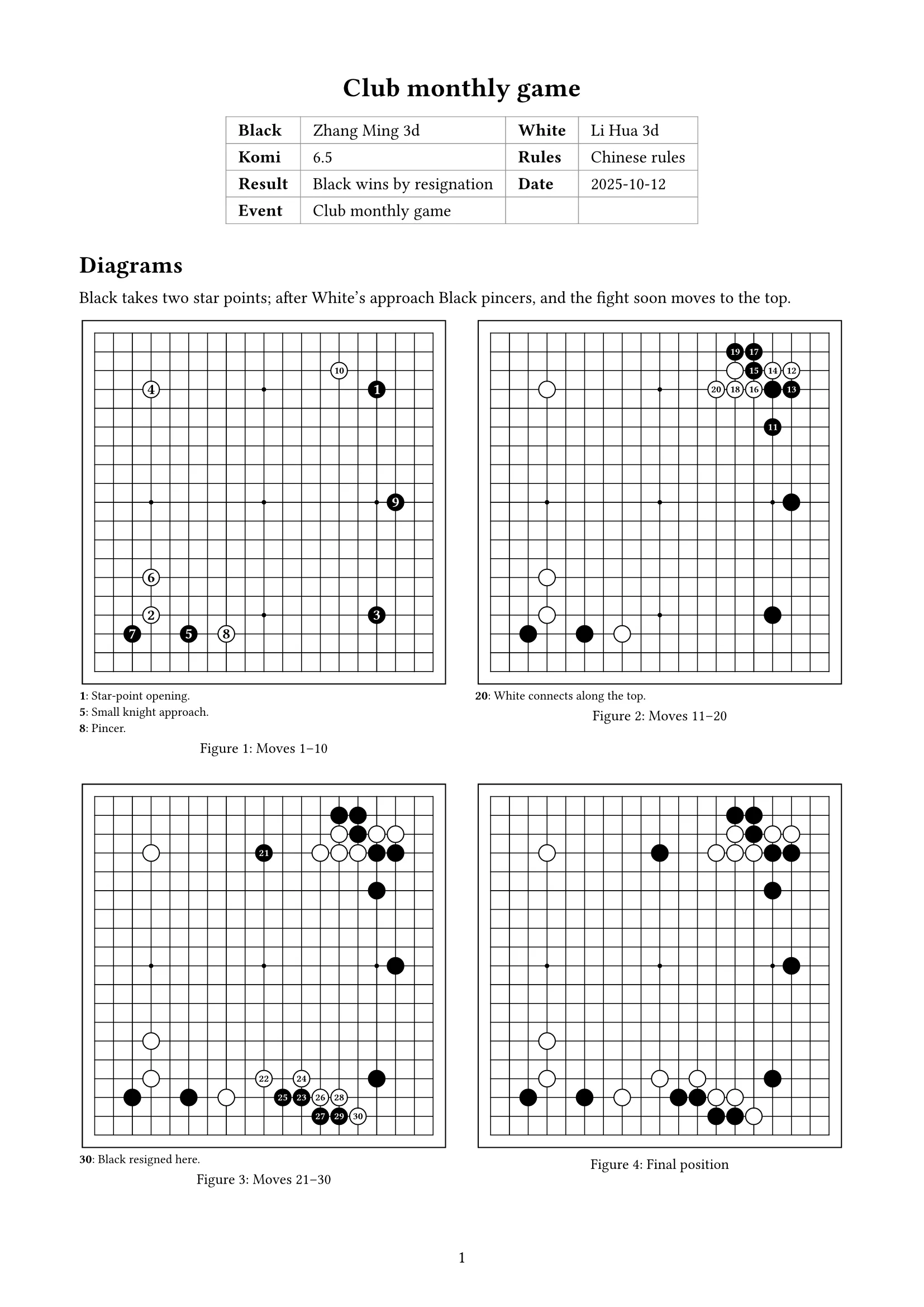
From SGF: game info, diagrams by move range, comments and positions; boards and captures drawn for you
Handout
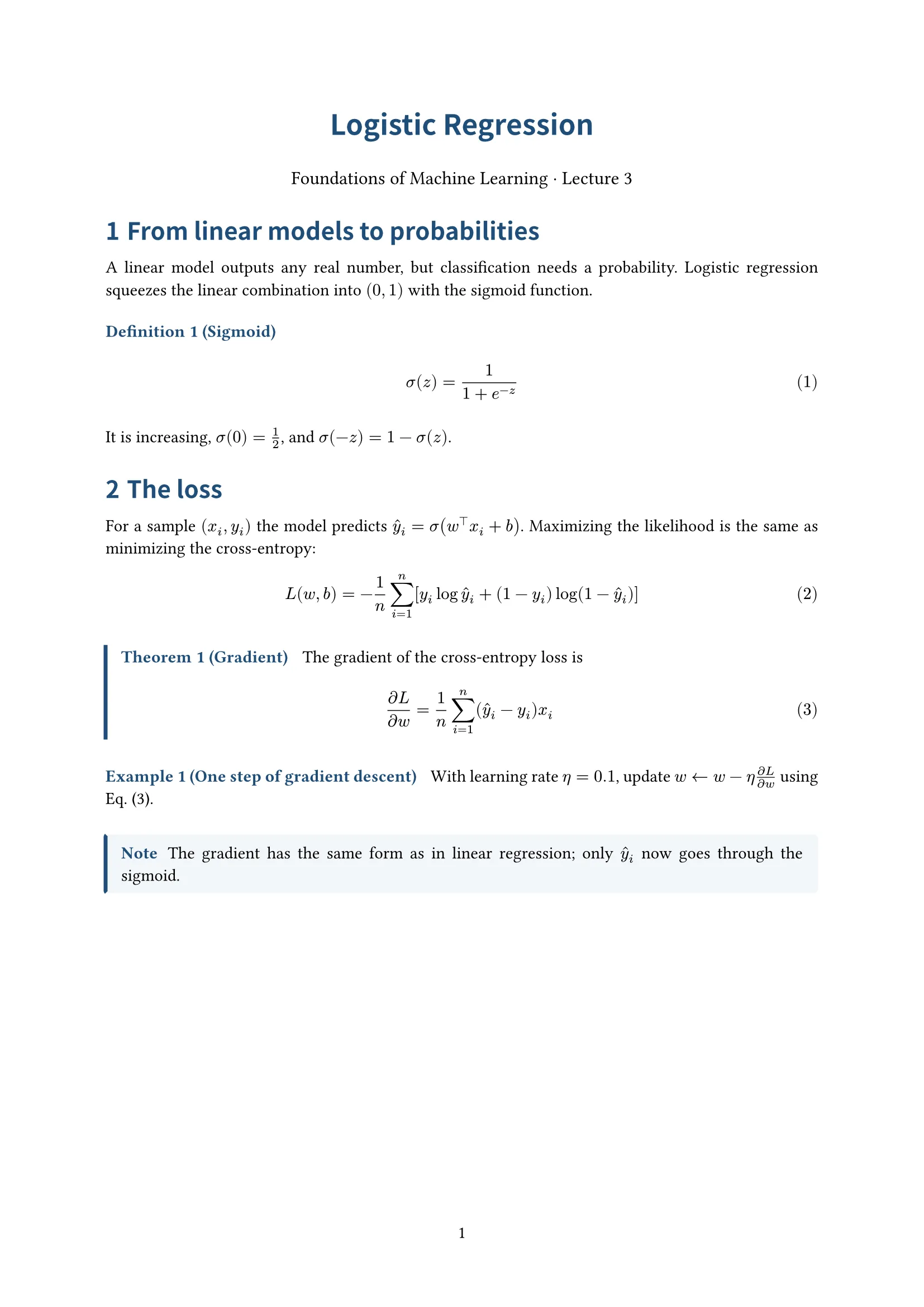
Centered title, numbered definitions, theorems and examples; for lecture notes


